A few good photoshoot ideas at home, combined with a little AI help, can take your photos a long way. Set up your jewellery however you like, take a phone photo, and let Mishruh AI turn it into a clean, marketplace-ready image in 30 seconds.
Good photography ideas are really just about light, surface, and arrangement. A thoughtful setup can turn an ordinary phone photo into the kind of image that actually stops someone scrolling and makes them tap to see more.
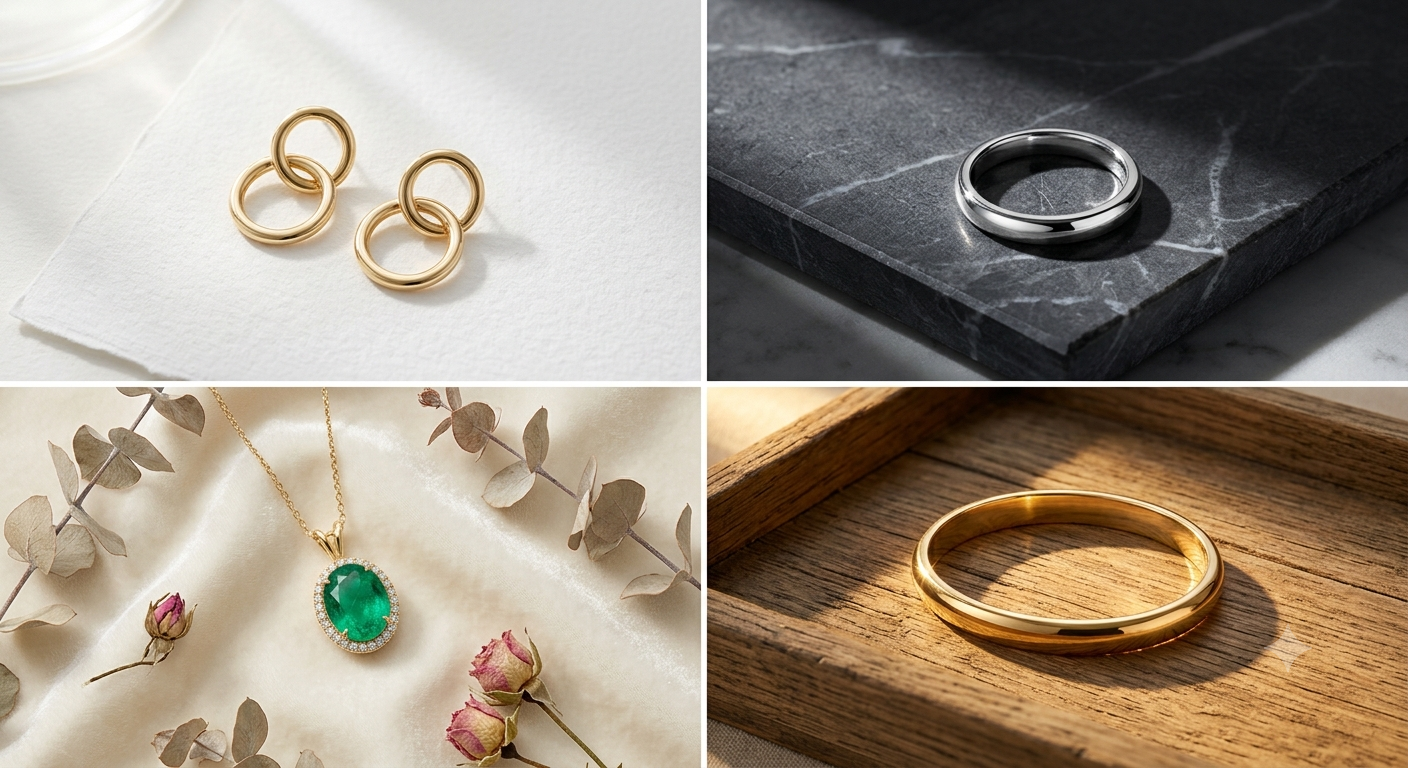
At home, the simplest setups use everyday things — a sheet of white paper, a wooden tray, a marble tile, or a piece of velvet cloth, paired with soft window light. None of this needs expensive gear. What actually matters is the angle of the light, the texture of the surface underneath, and how the piece is placed. For more setups like this, see our full list of jewellery shoot ideas.
The real improvement happens after you upload that photo to Mishruh AI as part of our AI jewellery photography process. Whatever setup you used — a flat lay, props, a textured backdrop, or a plain white surface — the AI takes it from there. It removes the background, fixes the lighting, brings out the metal shine, and hands back a polished jewellery product photography result within 30 seconds. So the creative part stays yours, and the technical part is handled for you.
The simplest setup of all — place your jewellery near a window in the morning. Soft daylight brings out metal shine and gemstone colour without any extra equipment.
Lay pieces flat on a marble tile, a wooden board, or a velvet cloth and shoot from directly above. This works especially well for rings, earrings, and bracelets, giving a clean, premium feel.
Flowers, leaves, fabric, or small decorative pieces placed around the jewellery add colour and a bit of storytelling — useful for Instagram posts where you want more than a plain product shot.
A sheet of white chart paper or a foam board with light coming in from the side. Simple and effective for ecommerce — Mishruh AI cleans this up into a perfect pure white automatically.
A necklace on a neck or earrings on ears builds more buying confidence than a flat photo. With our AI jewellery model, this look can be created from a plain product photo — no real model needed.
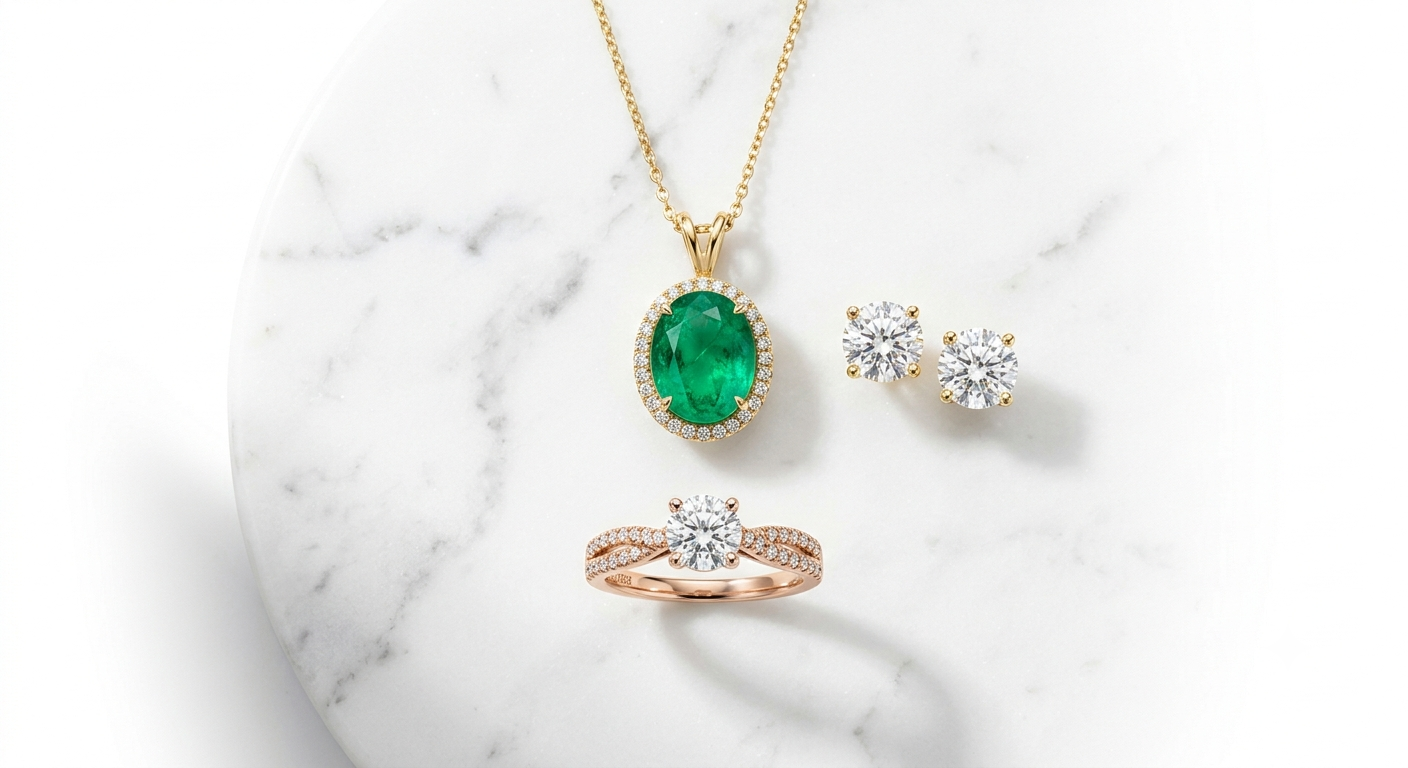
Arrange a matching set — necklace, earrings, and ring — together in one frame for a catalogue-style photo. Upload it and get consistent lighting across every piece.
Whether it is a proper studio or just a spot near a window at home, your phone camera is enough. No professional equipment needed — just the idea and a bit of patience.
Upload the photo and get back a marketplace-ready image almost immediately — no Photoshop, no waiting on an editor.
Whatever backdrop you shot against — marble, wood, velvet, or plain paper — it gets replaced with a clean, pure white background suited for ecommerce listings.
Better product photos typically get 40 to 60 percent more clicks on marketplaces like Amazon India and Flipkart — the same home setup, just presented better.
Set up your jewellery however you like — window light, flat lay, or props — take a phone photo, and upload it to Mishruh AI. Get a professional, marketplace-ready result in 30 seconds. Free for your first photo.
No spam. Support in Hindi & English.
A few that work well: placing the piece near a window for soft natural light, using plain white paper or a foam board as a backdrop, laying pieces flat on a marble or wooden surface for a flat lay shot, adding flowers or fabric as props for a more lifestyle feel, and shooting straight down for rings and earrings. Once you have the phone photo, Mishruh AI takes care of the background, lighting, and shine automatically.
You really just need three things — a smartphone, a flat white surface like chart paper or foam board, and a window with daylight coming in. Place the jewellery on the surface near the window and shoot from above or at a slight angle. That gives you a clean base photo, which Mishruh AI then turns into something ready for an ecommerce listing.
A few that tend to work nicely: gold on a black marble tile for contrast, dried flowers or green leaves for a more organic feel, a matching gold set arranged on silk or velvet, or shooting in warm afternoon light for a richer golden tone — see our gold necklace photography guide for more. After that, Mishruh AI can retouch and clean up the background so it looks closer to a proper brand shoot.
No. Your phone camera is enough for the base photo. What actually matters is good natural light, a clean surface, and a bit of thought in how the piece is arranged. Everything after that — background removal, colour correction, sharpening — is handled by Mishruh AI; see our product photography pricing page for what is included, with the final image delivered at 2000 by 2000 pixels for marketplace use.