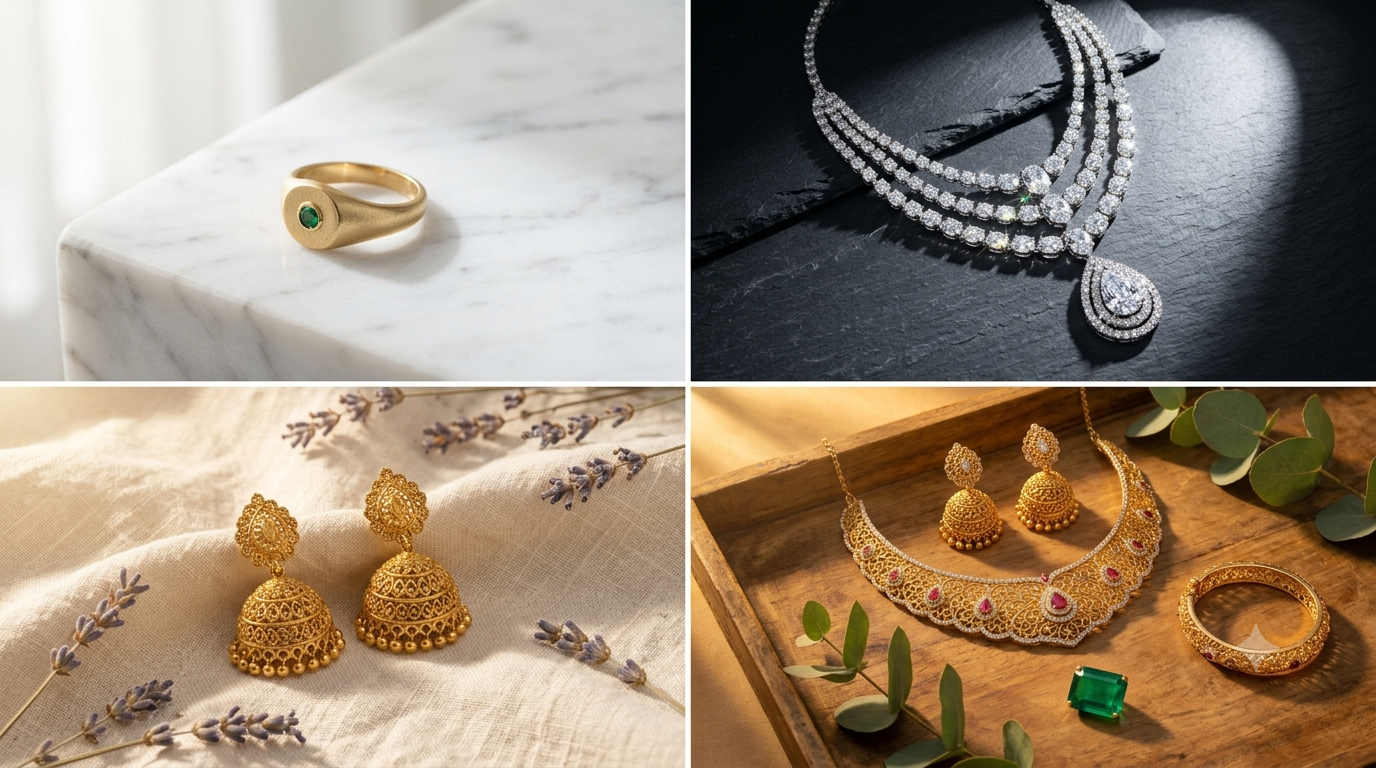
Discover creative jewellery shoot ideas and jewellery photoshoot ideas at home — from simple white surface setups to styled gold photoshoot ideas with props and backdrops. Pick your idea, click a phone photo, and Mishruh AI turns it into a professional marketplace-ready jewellery photo in 30 seconds.
Jewellery shoot ideas are creative ways to set up, style, and photograph jewellery so the final photo looks professional and ready to sell online. A good setup considers three things — the background or surface, the lighting, and how the piece is positioned. None of this needs expensive equipment. A marble tile, a wooden tray, a velvet cloth, or even a plain sheet of white paper near a window is enough to produce a stunning result when paired with the right technique.
For sellers on Amazon India, Flipkart, Meesho, and Instagram, a little creativity helps listings stand out from thousands of competitors using the same flat white background. Warm props and natural light can make a gold necklace look far more valuable than a basic overhead shot. Different backdrops — black marble, cream linen, dark slate, light wood — each create a different mood and appeal to a different kind of buyer. Even one simple texture behind the piece can lift how it looks in a jewellery product listing noticeably.
The smartest approach is to pair these ideas with Mishruh AI's AI jewellery photography. You handle the creative part — the backdrop, the props, the positioning — and click a phone photo. Upload it, and the AI takes over: removing the background, correcting the lighting, and enhancing metal shine and gemstone sparkle in 30 seconds. Whether your setup is a basic white surface or a fully styled scene, Mishruh AI turns it into something that looks like it came from a professional jewellery photography studio — no Photoshop skills, no waiting for an editor.
The simplest jewellery shoot idea at home — place jewellery on a white surface near a window and shoot from directly above in natural morning light. Works perfectly for rings, earrings, and pendants. This basic setup costs nothing and produces a clean, minimal product photo that Mishruh AI enhances to professional quality in 30 seconds.
Use textured backdrops for jewellery photography — black marble, grey slate, light wood grain, cream linen — to add depth and a premium feel. Dark backdrops make gold pop dramatically. Light backdrops give a clean minimal look. Upload any backdrop photo to Mishruh AI for instant enhancement.
Style your shoot with props — dried flowers, green leaves, decorative boxes, pearls, or fabric folds. This is a great gold photoshoot idea for Instagram and lifestyle catalogue shoots. Props add storytelling and emotion without needing a model. Mishruh AI removes the background or enhances the styled shot automatically.
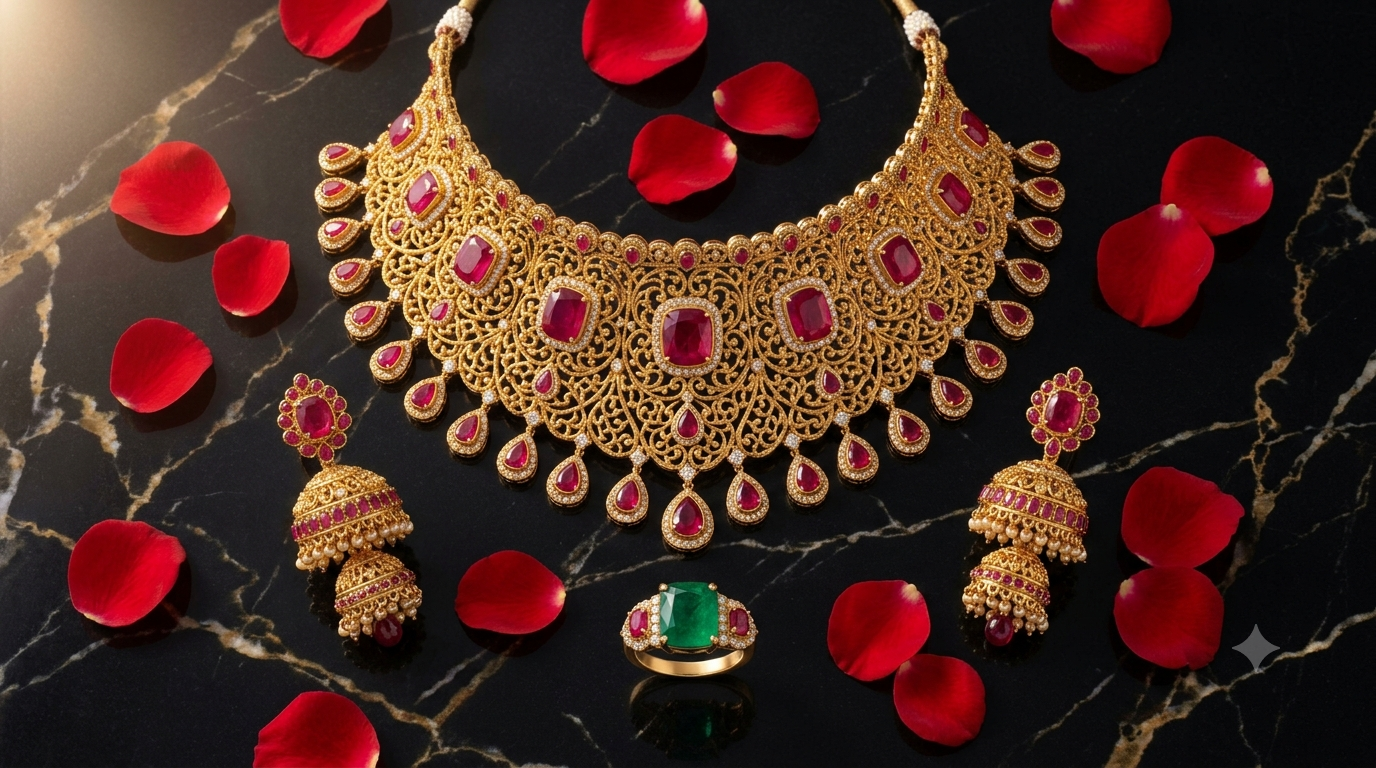
Arrange a complete matching jewellery set — necklace, earrings, ring, and bangle — in one frame for a catalogue-style shot. This works brilliantly for gifting season listings and social media posts. Upload to Mishruh AI for consistent lighting and professional output across all pieces in the same photo.
The highest-converting jewellery shoot idea — show the piece being worn. With Mishruh AI you do not need a real model. Upload a plain product photo and our AI jewellery model places it on a realistic person. Jewellery photography with model results — without any model booking cost.
Create a spotlight effect at home using a single torch or desk lamp pointed at the jewellery in a dark room. This gold photoshoot idea creates a luxury feel with deep shadows and bright metal highlights. A simple jewellery photography setup at home — Mishruh AI enhances the contrast and shine automatically after upload.
Whether your setup is a full styled shoot or just a windowsill flat lay, Mishruh AI enhances it. No expensive equipment, no DSLR — your phone plus any shoot idea is enough to get a result that looks like studio photography.
Pick your idea, click the photo, upload. Mishruh AI delivers a marketplace-ready jewellery photo in 30 seconds — background removed, lighting corrected, metal enhanced. Faster than any traditional ecommerce photography workflow.
Used marble, wood, velvet, or flowers as your backdrop? Mishruh AI removes any background automatically and replaces it with pure white for marketplace listings — or keeps the styled background for Instagram jewellery posts.
Creative shoot ideas combined with Mishruh AI enhancement produce photos that get 40–60% more clicks on Amazon India and Flipkart. Better photos from a simple home setup directly translate into more orders and higher revenue.
Use any jewellery shoot idea at home — flat lay, backdrops, props, or styled setup — click a phone photo and upload to Mishruh AI. Get a professional marketplace-ready result in 30 seconds. Completely free for your first photo.
No spam. Support in Hindi & English.
The best jewellery shoot ideas at home include: flat lay on white paper near a window for natural soft light, placing jewellery on marble or wooden surfaces for a premium feel, using dried flowers or fabric as props for Instagram lifestyle shots, arranging a full set in one frame for catalogue photos, and using a single spotlight lamp for dramatic gold photoshoot ideas. After clicking the photo with your phone, upload it to Mishruh AI — the AI enhances the lighting, removes the background, and delivers a professional result in 30 seconds.
The best backdrops depend on the style you want. Pure white gives a clean ecommerce look and meets Amazon India and Flipkart requirements. Black marble creates a dramatic luxury feel perfect for gold and diamond jewellery. Light wood grain gives a warm lifestyle feel for Instagram. Cream linen or velvet adds softness for pearl and antique pieces. All of these options work with Mishruh AI — upload any backdrop photo and the AI enhances it automatically.
A simple setup needs just three things — your smartphone, a surface (white paper, marble tile, or wooden board), and natural window light. Place the jewellery near a window, position yourself directly above or at a slight angle, and click. This basic setup costs nothing. Upload the photo to Mishruh AI and the AI does the rest — background removal, colour correction, shine enhancement — giving you a professional product photo in 30 seconds.
Yes. Mishruh AI works with every jewellery shoot idea — flat lay, prop styling, textured backdrop, collection layout, dramatic spotlight, and AI model photography. No matter which idea you choose or how simple or styled your setup is, Mishruh AI enhances the photo automatically. Upload your phone photo from any jewellery shoot setup and get a professional, marketplace-ready result in 30 seconds.